
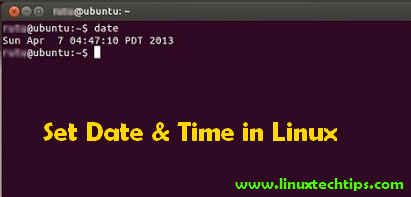

There are few ways to set the date and time on Linux command line. In order to do this, you must login as root and execute the following methods as follow:
For you to remember the syntax, issue the command “date” first
[root@linuxtechtips ~]# ## date
Mon Aug 20 18:30:29 SGT 2012
Let say you want to change it to Sept 6, 2012, 3pm, just follow the pattern above
[root@linuxtechtips ~]# ## date 090615002012
Thu Sep 6 15:00:00 SGT 2012
where as:
09 = month (September)
06 = day
15 = hour
00 = min
2012 = year
Now it’s set, as simple as that:
[root@linuxtechtips ~]# date
Thu Sep 6 15:00:01 SGT 2012
Another example, you want it to change to 20th of December, 2012, 10:45pm
[root@linuxtechtips ~]# ## date 122022452012
Thu Dec 20 22:45:00 SGT 2012
Viola!!!
[root@linuxtechtips ~]# date
Thu Dec 20 22:45:03 SGT 2012
Now if you want to challenge yourself, then you can use this as well:
Using our example date above, use the date command with –set or -s options
[root@linuxtechtips ~]# ## date -s “6 Sept 2012 15:00:00”
Thu Sep 6 15:00:00 SGT 2012
Extra tip: To set the hardware clock to the current system time, use:
[root@linuxtechtips ~]# ## hwclock –systohc
If the other way around, to set the system time from the hardware clock
[root@linuxtechtips ~]# ## hwclock –hctosys